Total Hits : 9513
Total Visits : 4260
Total Visits : 4260
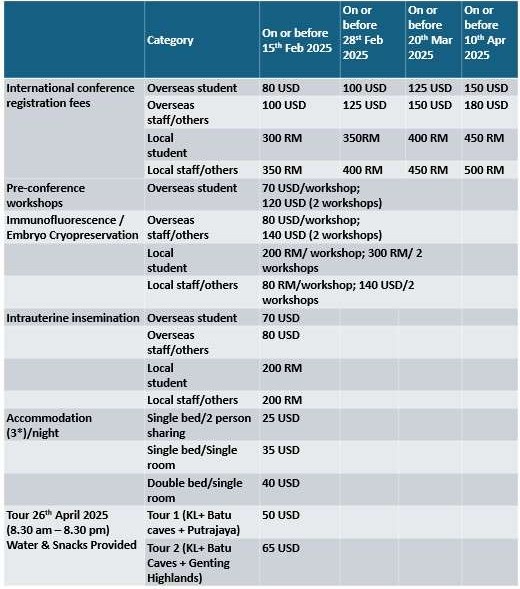
REGISTRATION FEE
ACCOUNT REGISTRATION & PAYMENT
- Click here to create your account.
- Log in to your account.
- After log in, go to Conference List and search Conference by Title: ICRSMEA and click Register button.
- Fill in the registration form and click Submit.
- You are now registered.
- Make online payment and send proof of payment to - (Please state the receipt number in the subject).
- You will receive a confirmation of registration once we receive the email with proof of payment.
Watch video: (1) Create a new account (2) Conference Registration