Total Hits : 23130
Total Visits : 13904
Total Visits : 13904
PAYMENT GUIDELINE
AFTER FINISHING REGISTRATION AND YOUR ABSTRACT IS ACCEPTED, PAYMENT MUST BE DONE ACCORDING TO THESE STEPS
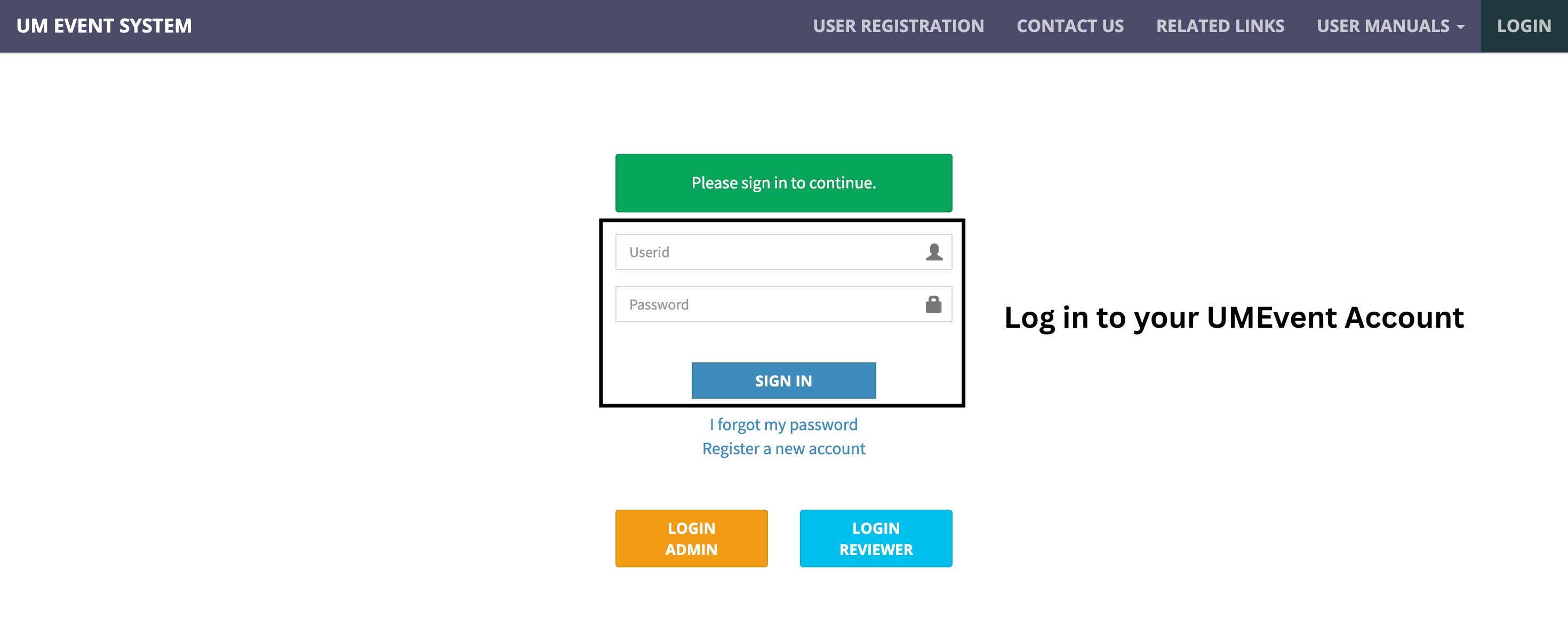
1. Log in to your UMEvent Account
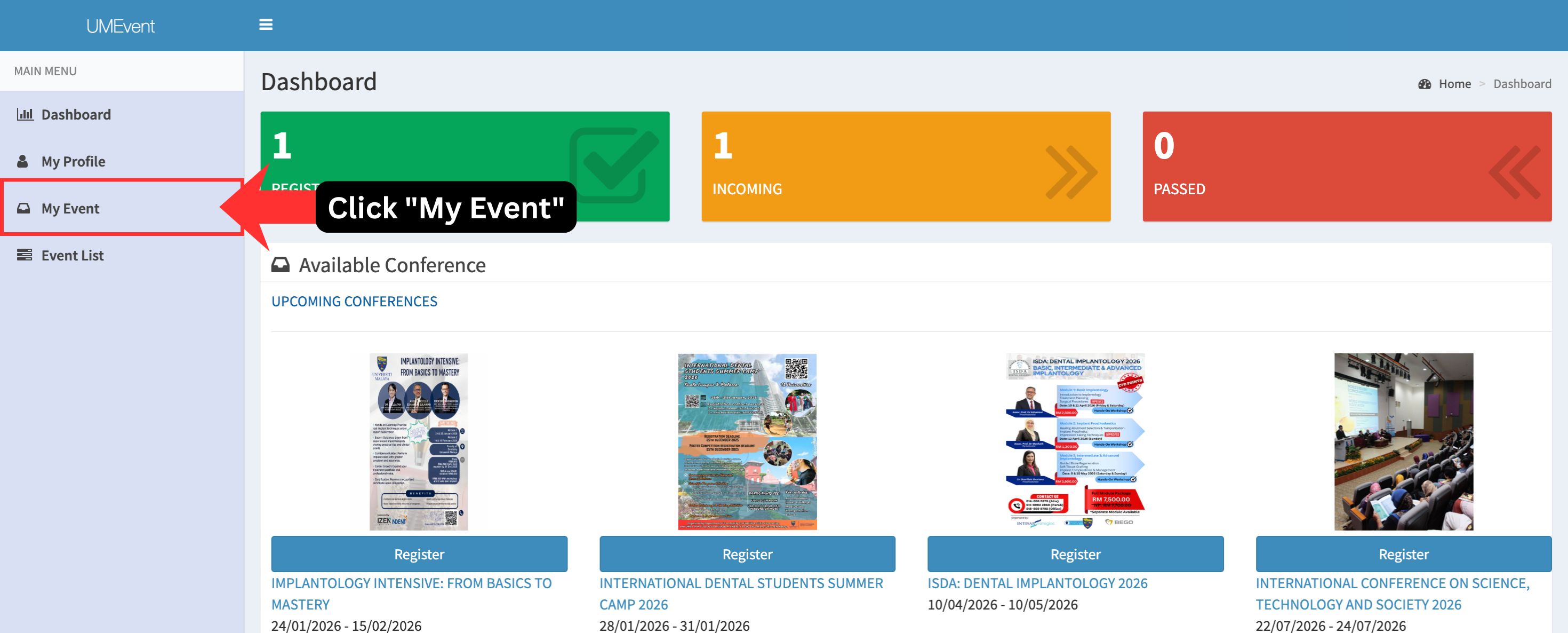
2. Click "My Event"
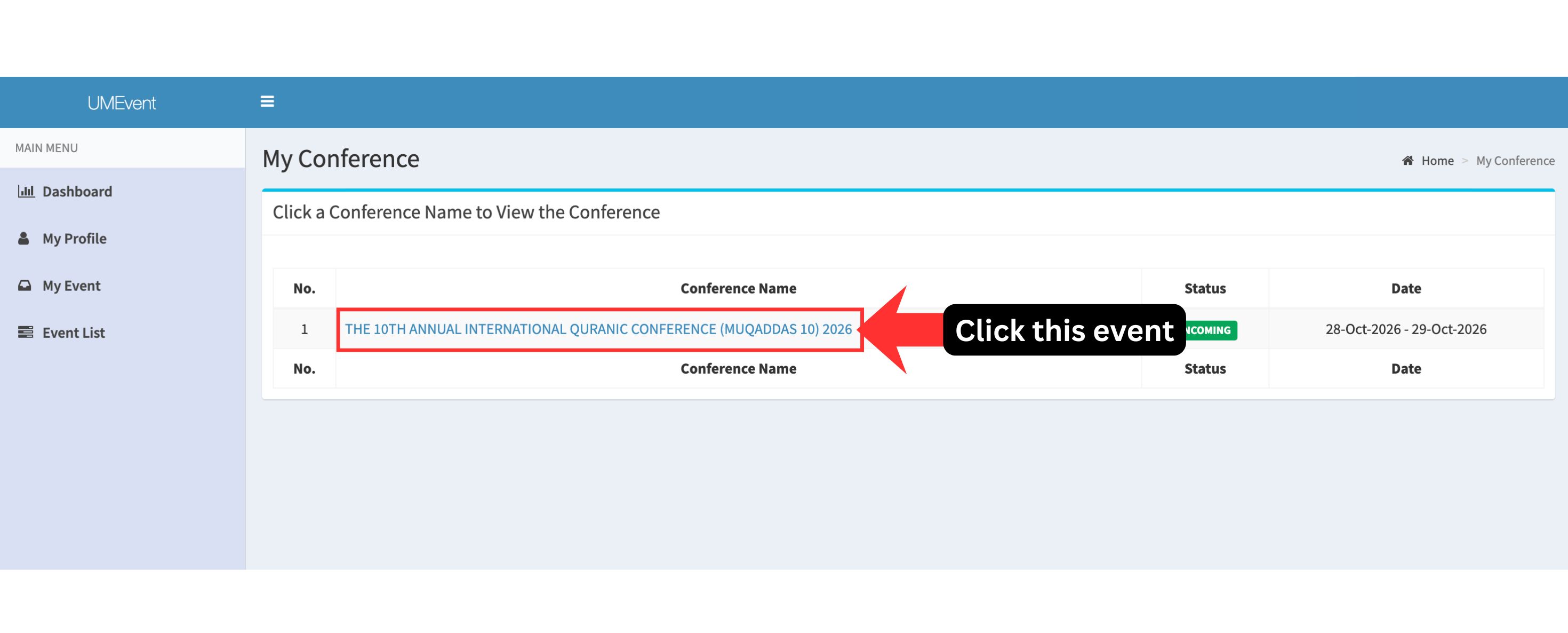
3. Click "THE 10TH ANNUAL INTERNATIONAL QURANIC CONFERENCE (MUQADDAS 10) 2026"
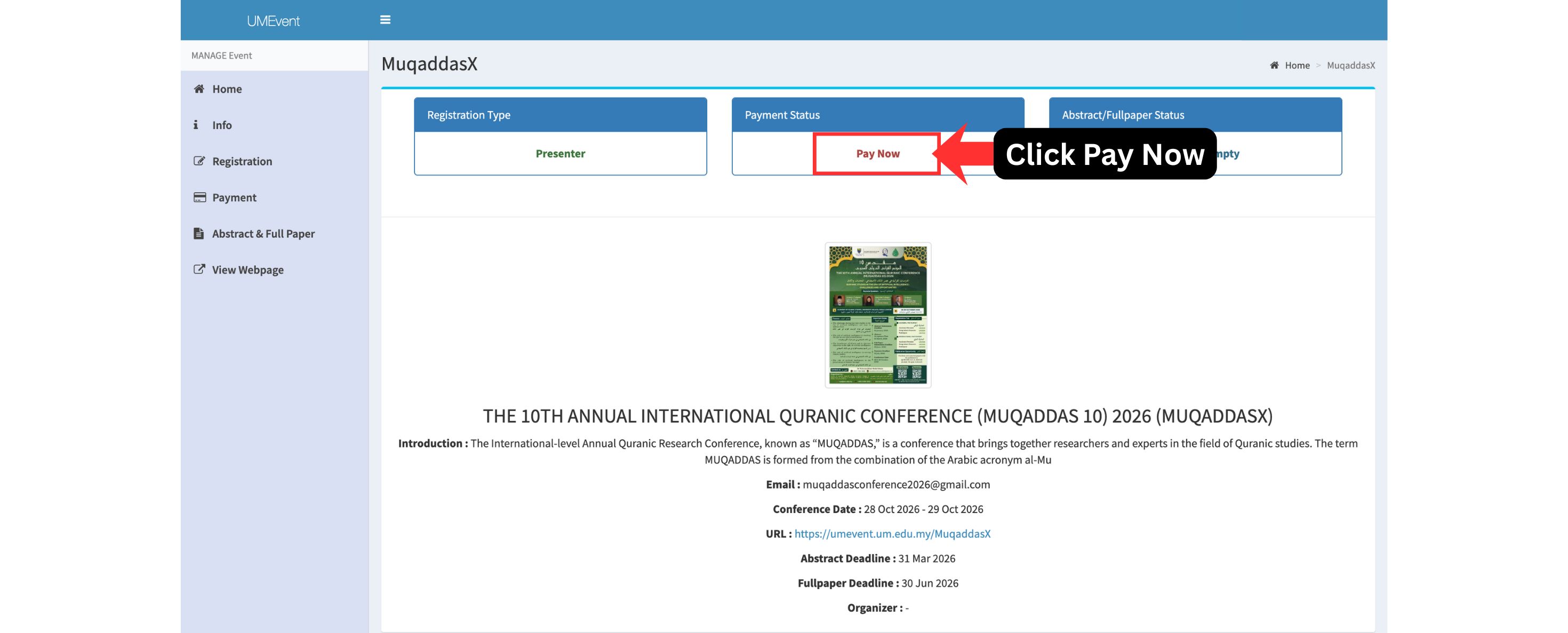
4. Click "Pay Now" under the Payment Status
5. Click the red button saying "Pay Now"
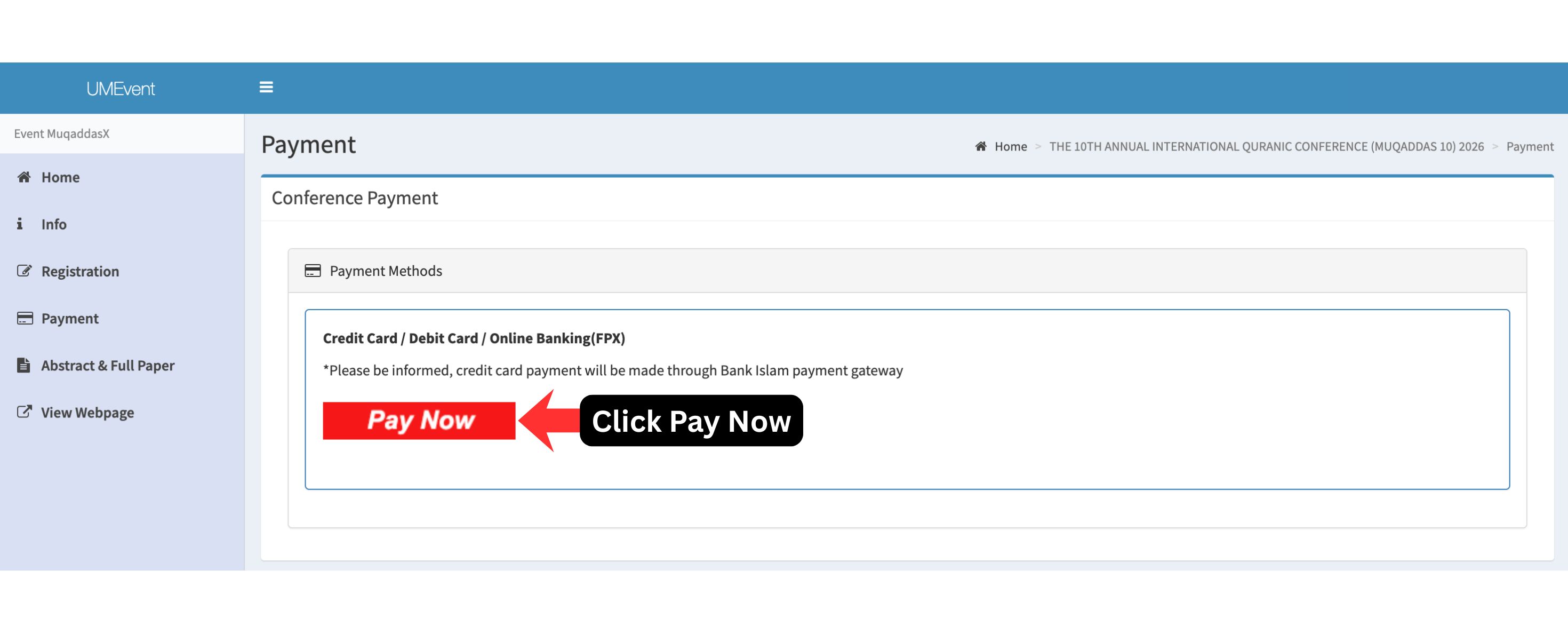
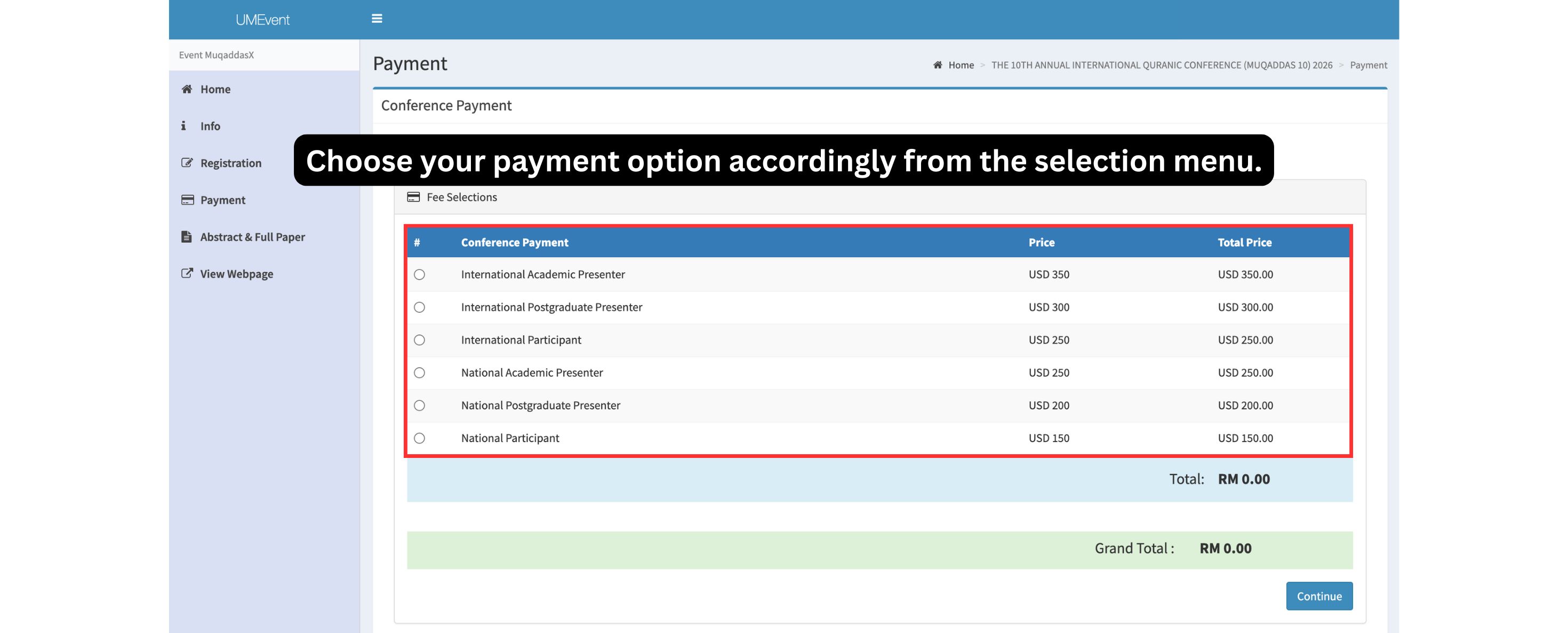
6. Choose your payment option accordingly from the selection menu.
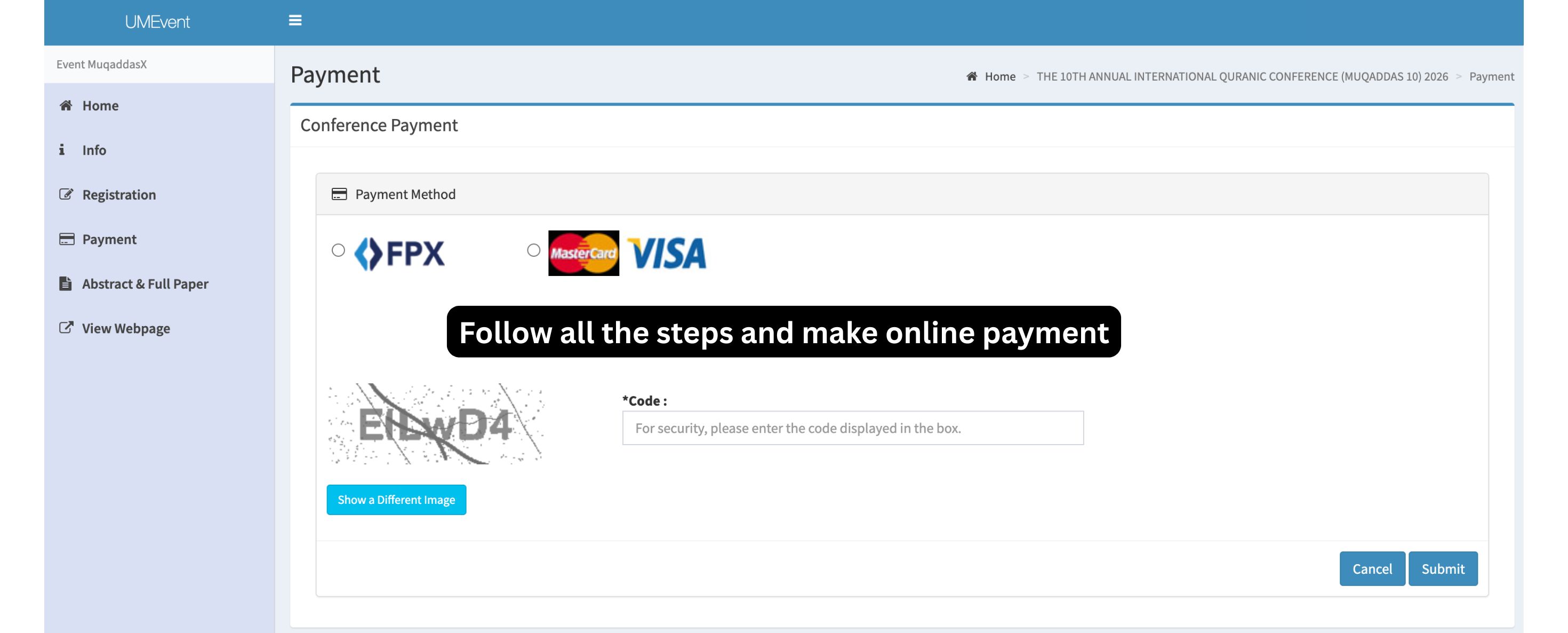
7. Follow all the steps and make online payment and send proof of payment to muqaddasconference2026@gmail.com (Please state the Paper ID in the subject).
8. You will receive a confirmation of registration once we receive the email with proof of payment.