Total Visits : 11185
SPONSORSHIP
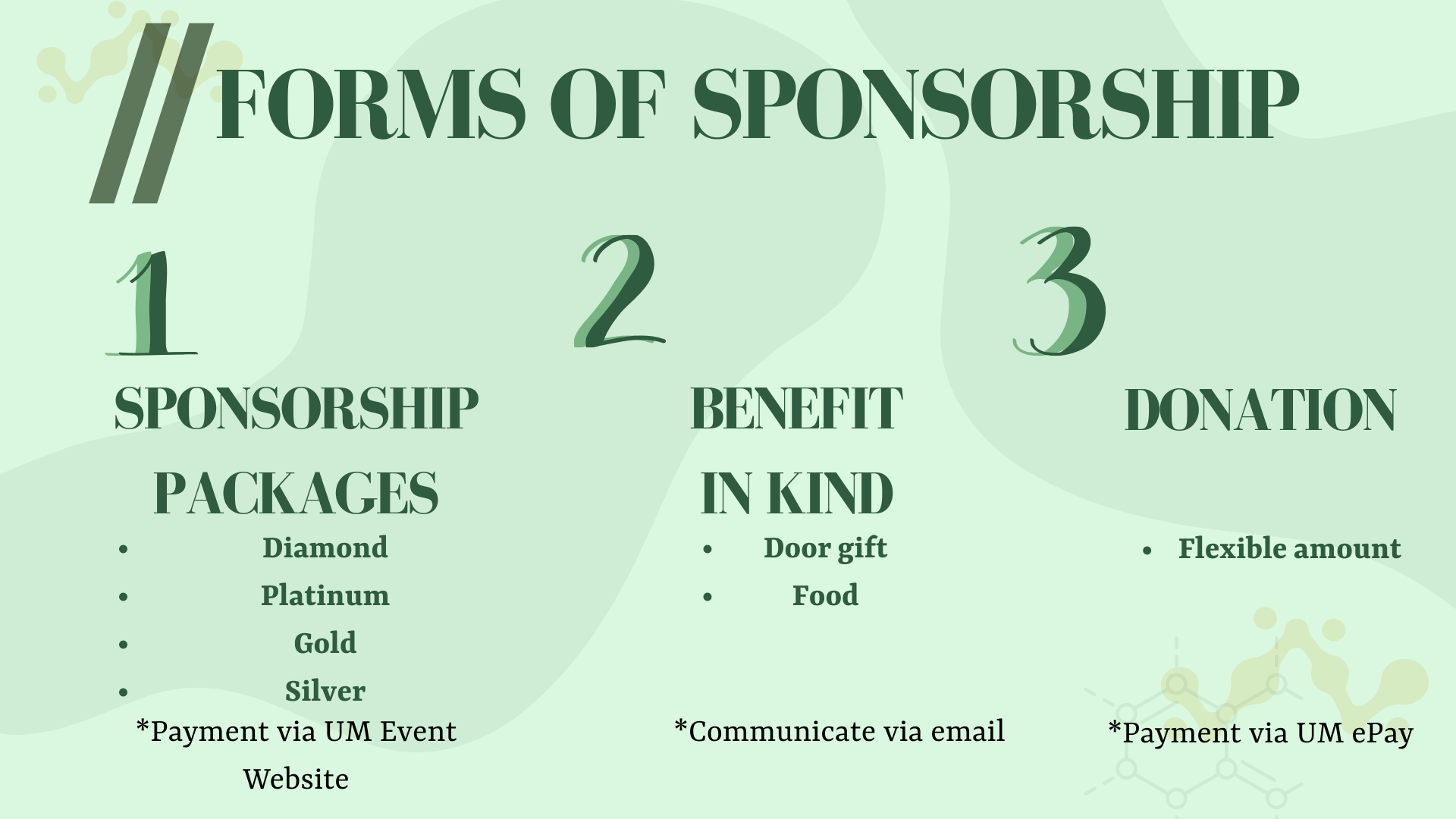
Kindly refer to the sponsorship proposal for further information : Sponsorship Proposal
Downloadable response slip : Response Slip
PAYMENT USING UM EVENT WEBSITE (For Sponsorship packages)
(1) Visit UM Event website at https://umevent.um.edu.my/login/.
(2) Create a new account by clicking on "Register a new account".

(3) Fill in the required information.
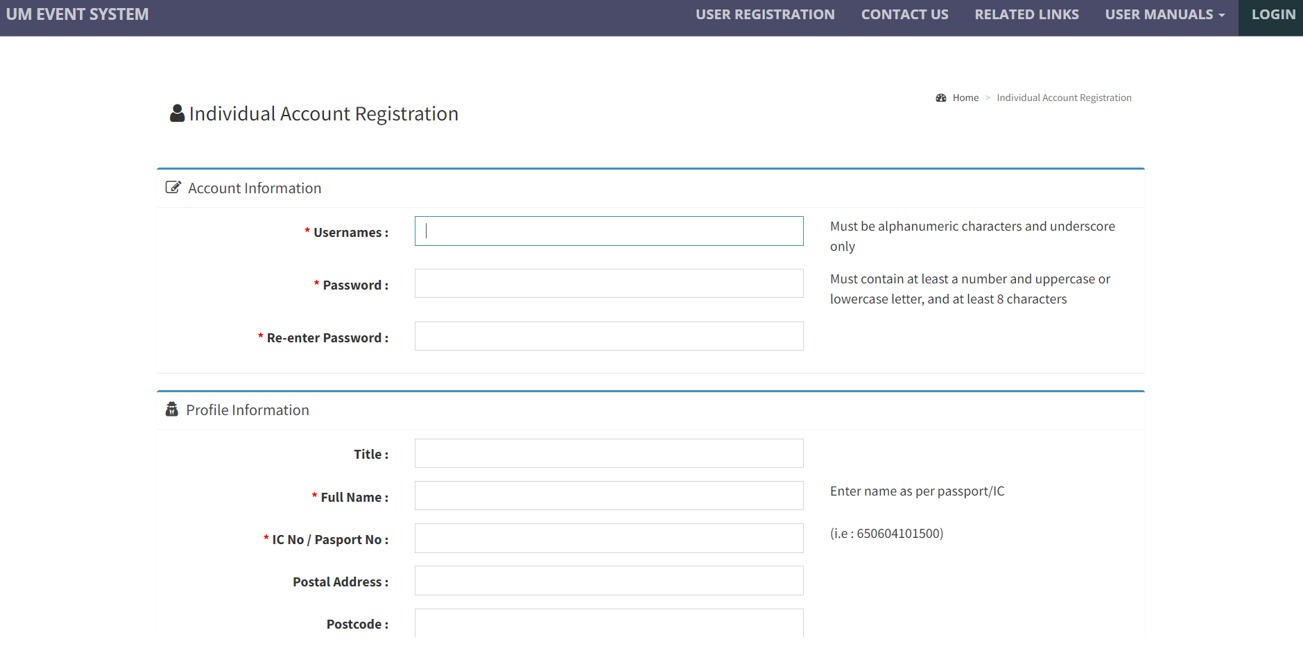
(4) Activate your account through email by clicking the link provided.
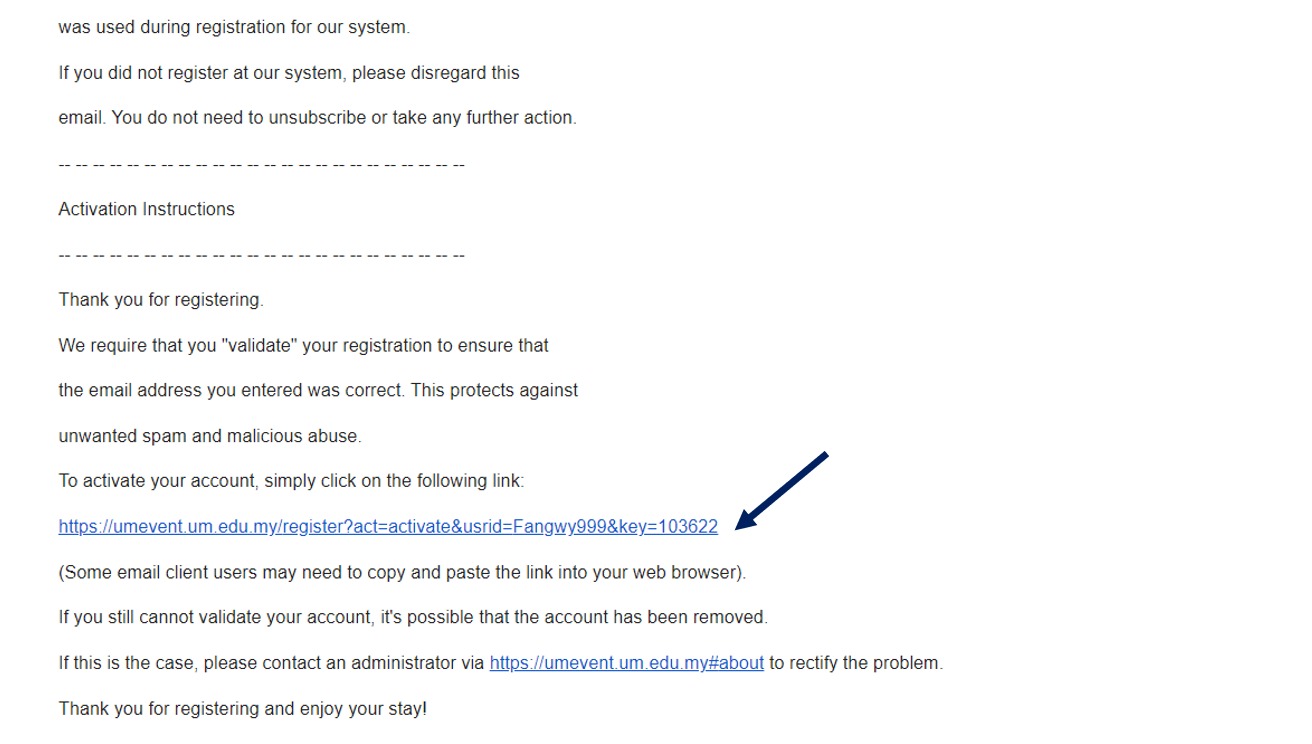
(5) Log in using the registered account.
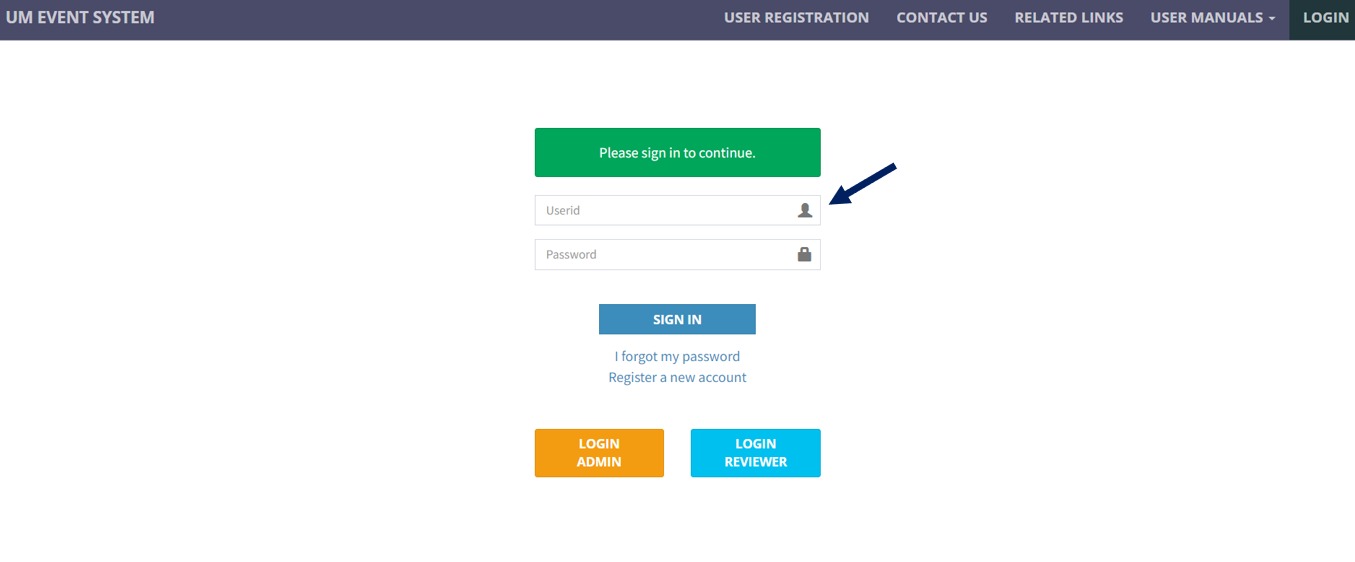
(6) Click on "Register" for NATIONAL CHEMICAL ENGINEERING SYMPOSIUM (NACES) 2023.
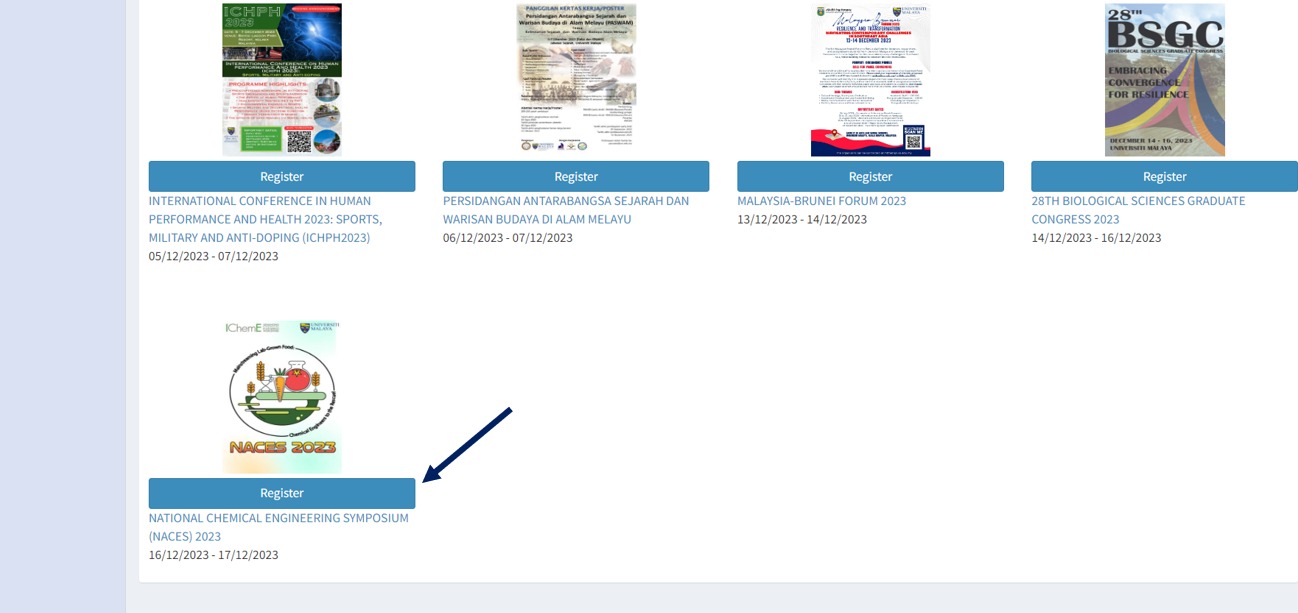
(7) Fill in the registration form and submit it. (Please select "Exhibitor" for question : As a)

(6) Select "Payment" and click "Pay Now".
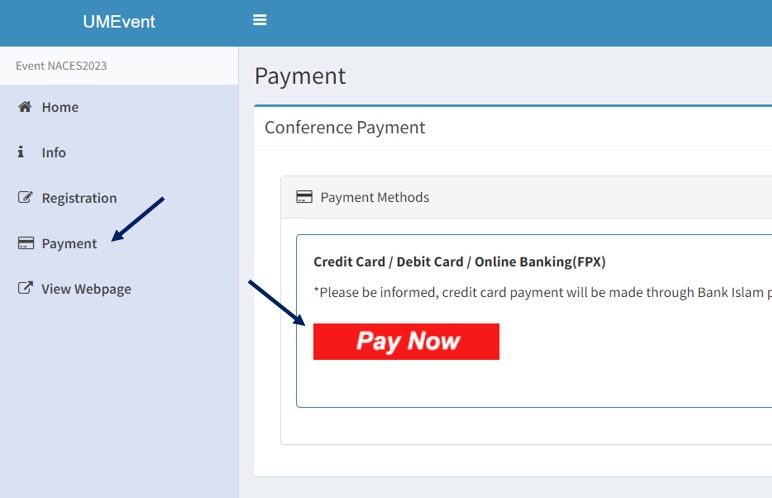
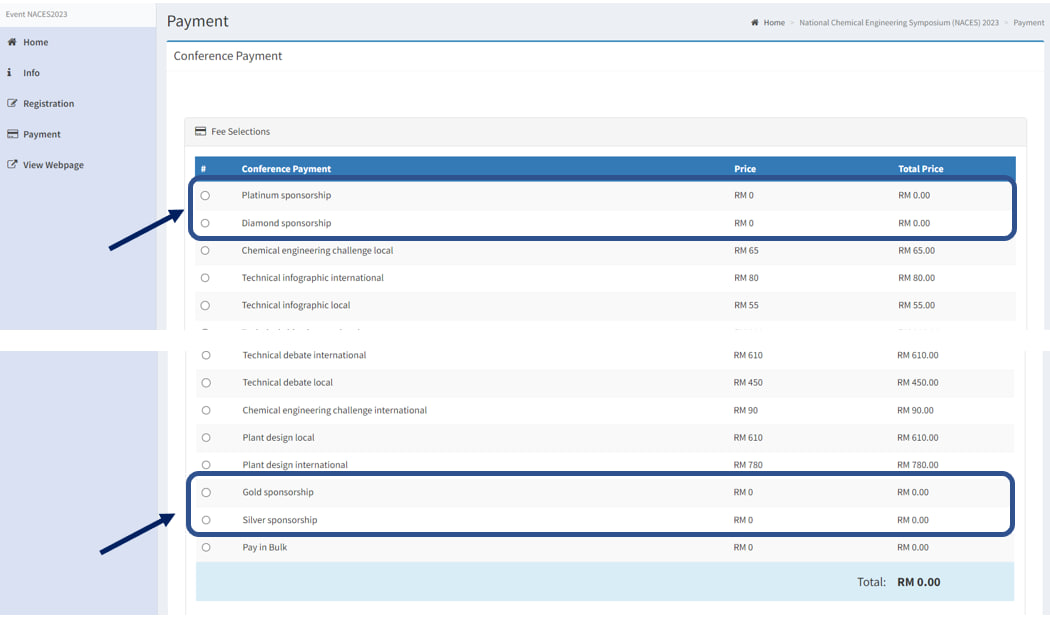
(7) Select your sponsorship package under the column of "Conference Payment".
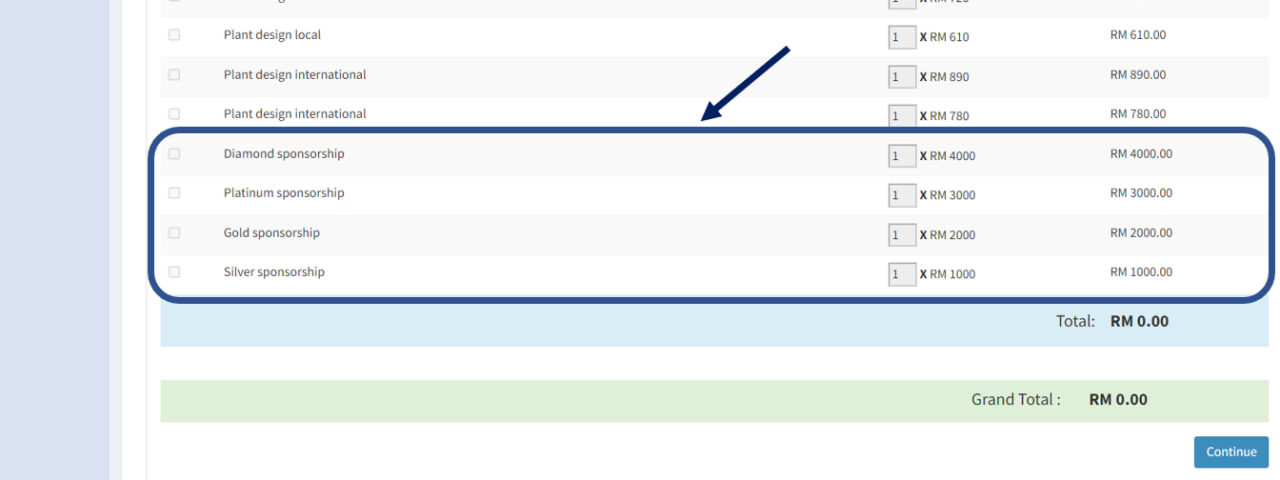
(8) Select your preferred sponsoring amount under the category of "Additional Payment". (Multiple sponsorship choices available for amounts exceeding RM4000)
(9) Proceed with payment and complete the transaction.
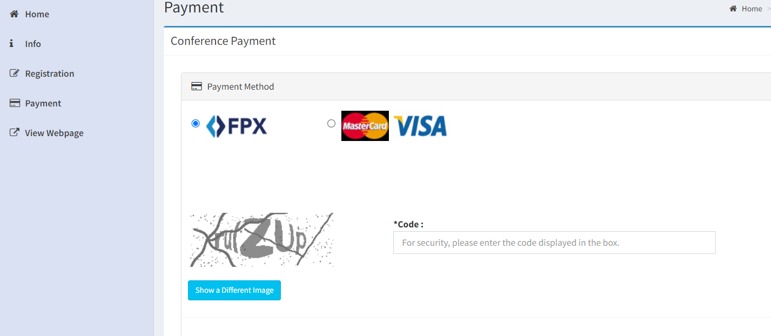
(10) After a successful payment, kindly send a copy of the transaction receipt as proof via email to admin_jkk.event@um.edu.my.
PAYMENT USING UM E-PAY (For Donation)
(1) Visit UM EPAY website at https://epay.um.edu.my/
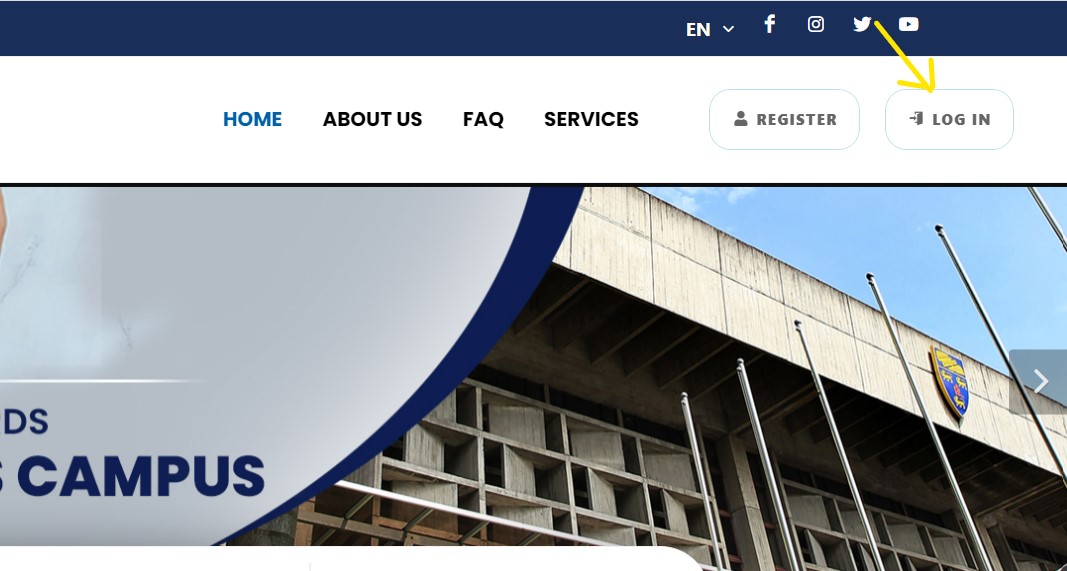
(2) Click on LOG IN at the top right corner.
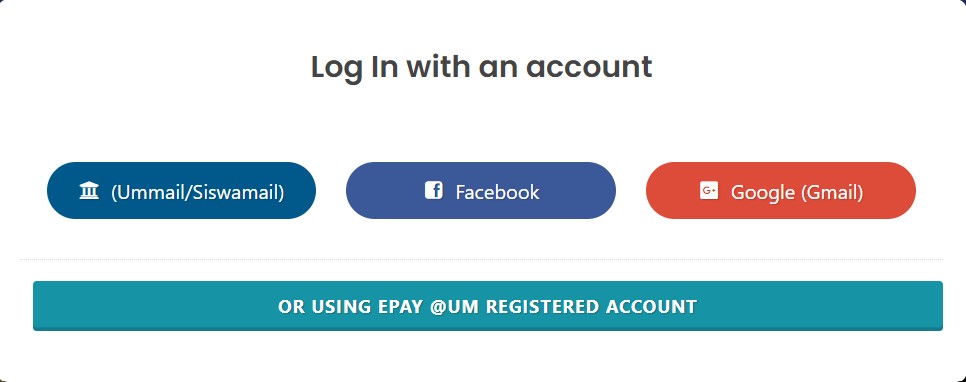
(3) You are highly recommended to use your own gmail to login.
(4) After you have logged in, click on EDIT to fill in your personal details.
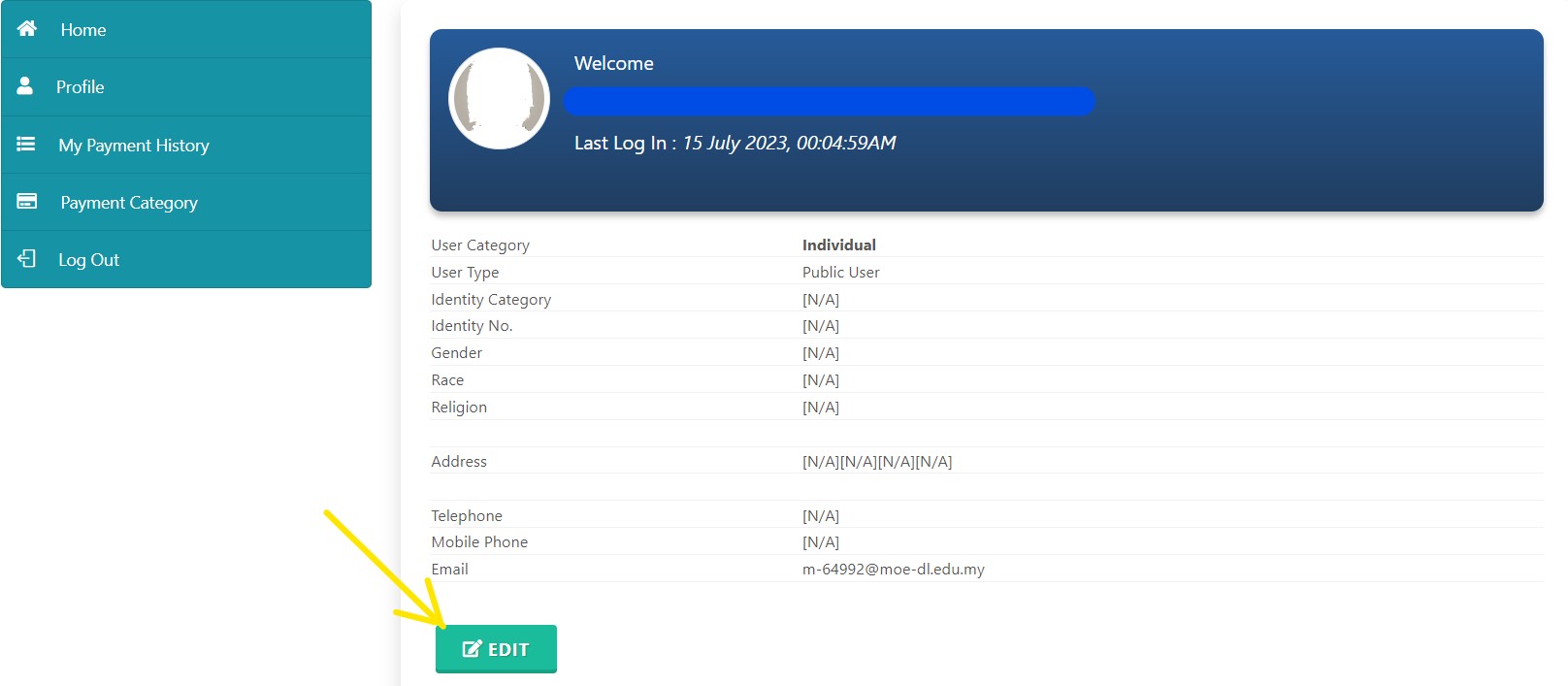
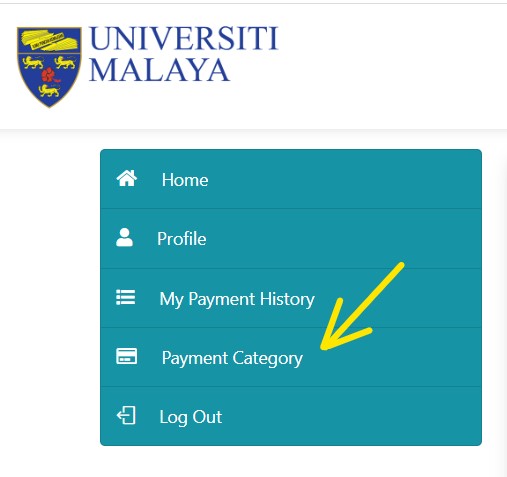
(5) After you have filled in all the required information, click on PAYMENT CATEGORY at the top left corner.
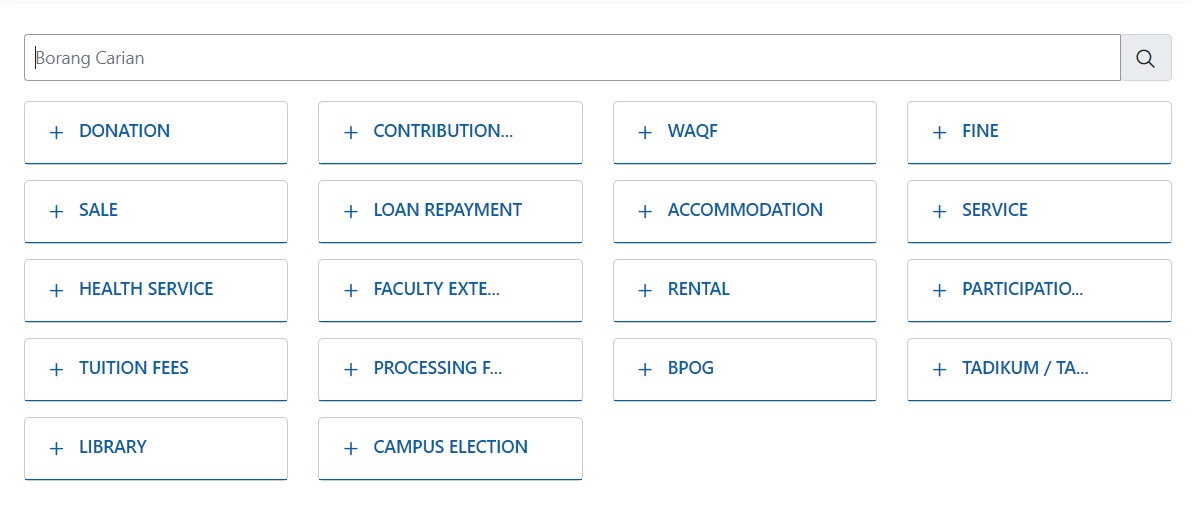
(6) Type CHEMICAL ENGINEERING in the blank box below.
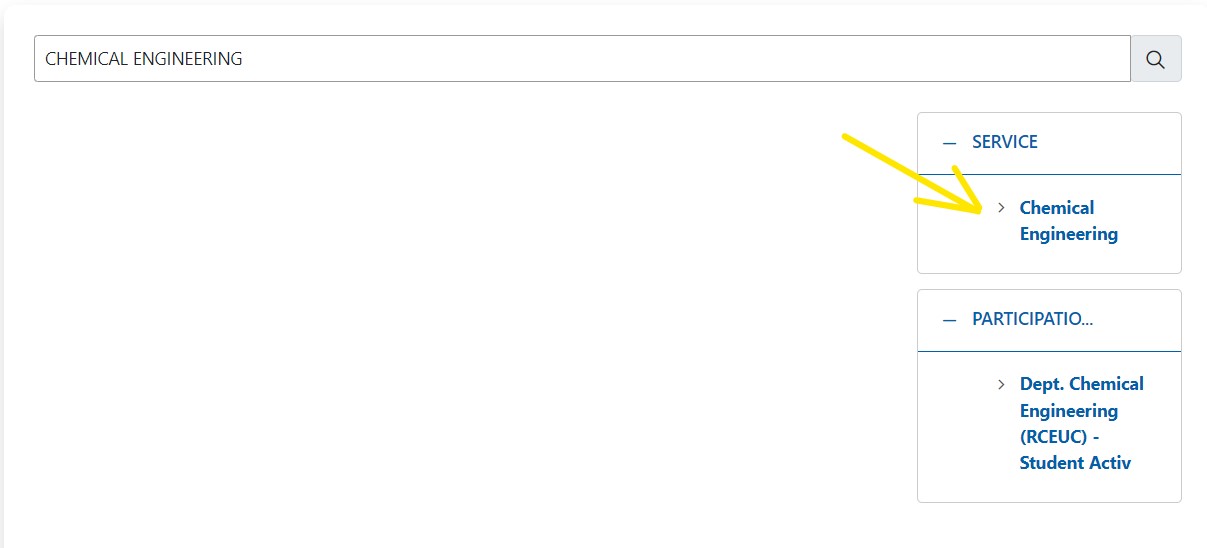
(7) Then,click on CHEMICAL ENGINEERING in the SERVICE BOX.
(8) Fill in the amount correctly and set description as "Donation, Company/Personal Name"
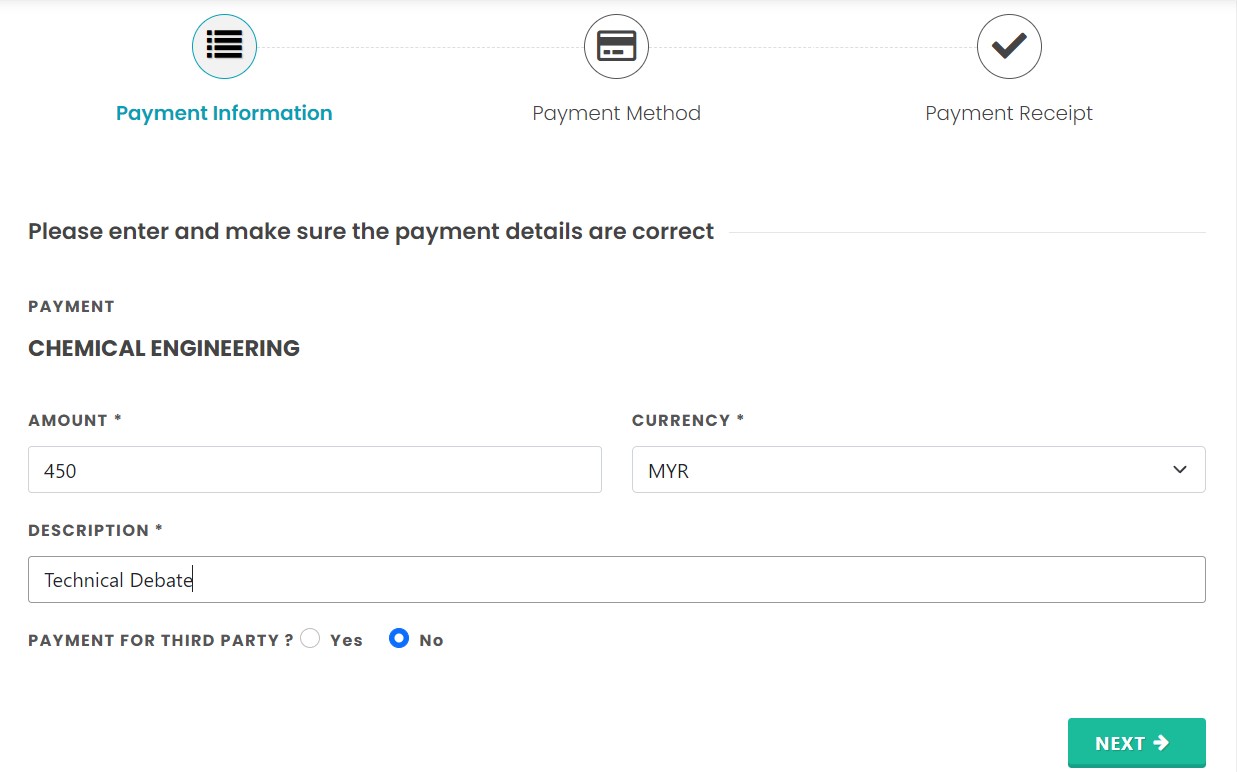
(9) Select the payment mode and make payment .

(10) After a successful payment, kindly send a copy of the transaction receipt as proof via email to admin_jkk.event@um.edu.my.